What Happens When Rogers or Bell Goes Down? An Internet Failover Plan for GTA Businesses
September 22, 2026
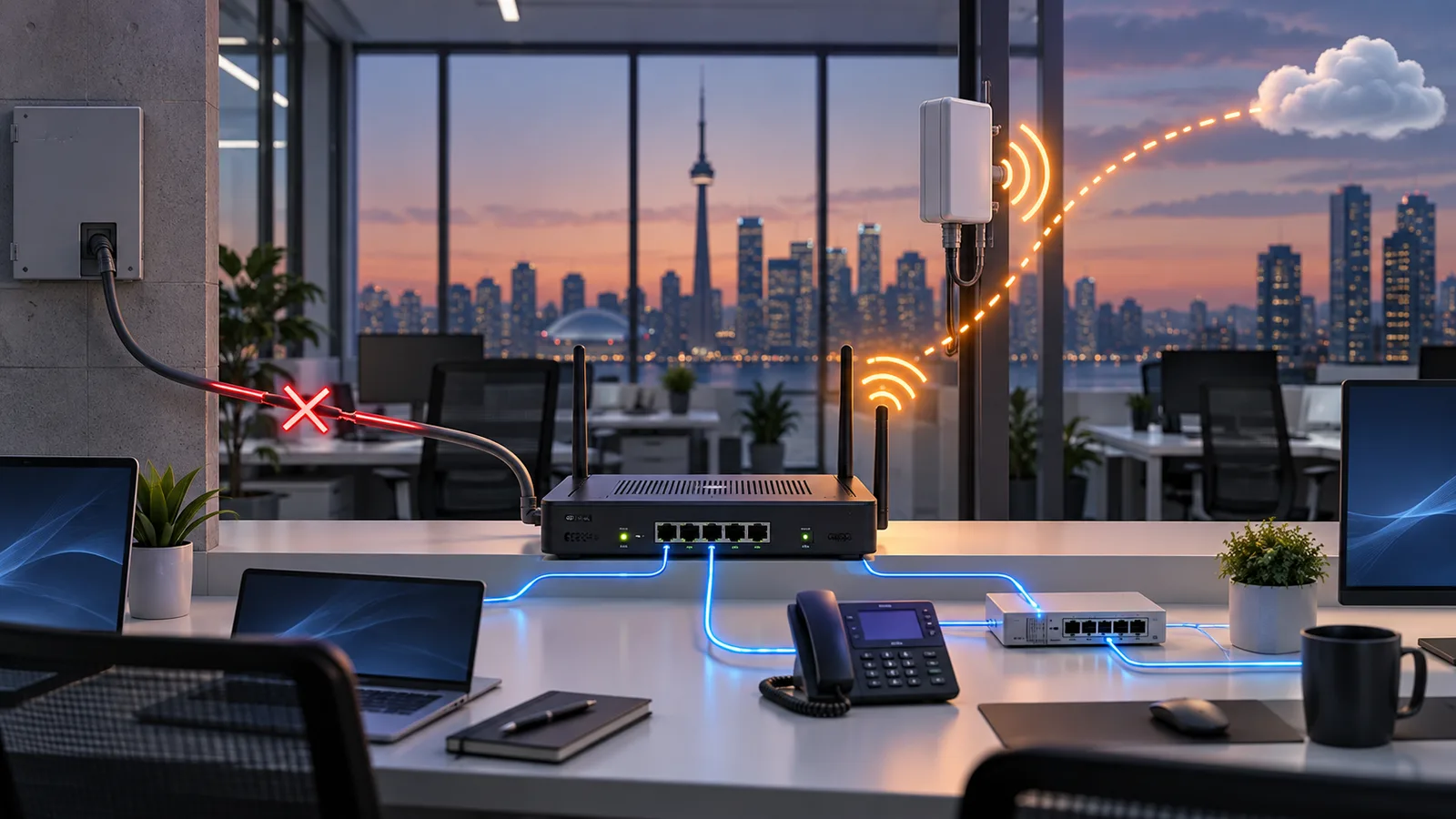
For many GTA businesses, the internet connection is no longer one utility among many. It is the path to the phone system, Microsoft 365, cloud accounting, payment processing, customer records, security cameras and the applications employees need to do their jobs.
When that one path fails, the office can look perfectly normal while almost every useful system stops.
The answer is not simply “buy a second connection.” A useful failover plan asks whether the second path is truly different, whether the network switches automatically, what will still work at reduced capacity, and whether anybody has tested it lately.
First, find out what actually failed
Not every apparent internet outage is a carrier outage. A failed firewall, unplugged cable, full network switch, broken DNS service or office power problem can produce the same complaint: “the internet is down.”
Before restarting everything, check whether:
- Multiple wired and wireless devices are affected.
- The modem or fibre terminal has power and normal status lights.
- Internal services such as printers or local servers are reachable.
- The firewall reports the primary connection as down.
- The carrier reports an outage for the address.
- The backup connection has activated and monitoring has sent an alert.
Rogers maintains an official network-outage page, while Bell customers can check service through Bell’s support and account tools. Those checks help confirm a regional problem, but your continuity plan still has to work before the carrier restores service.
What automatic failover actually does
A business firewall can monitor the primary internet connection continuously. When it can no longer reach reliable destinations, it changes the office’s default route to a secondary connection. Users keep connecting to the same wired and wireless network; the firewall changes the path behind the scenes.
When the primary service becomes stable again, the firewall can move traffic back. That return needs care. A connection that is flapping up and down should not drag the whole office between providers every few seconds, so a good configuration waits for a stable recovery before failing back.
Automatic switching is important because an outage rarely begins when the IT person is standing beside the firewall. It happens during a client call, before the store opens, or when the person who knows the network is away.
Three practical backup designs
1. LTE or 5G backup
A cellular connection is often the simplest secondary path for a small office. It uses a different medium from the wired circuit, installs quickly and can be connected directly to a dual-WAN firewall. Both major carriers market wireless backup options: Rogers describes business internet with automatic LTE backup, and Bell offers LTE/5G Wireless Backup for business connectivity.
Wireless backup has limits. Speed and latency may differ from the primary service, indoor signal strength matters, and heavy usage may run into plan limits or congestion. It is usually best for keeping priority systems working rather than pretending nothing happened.
2. A second wired provider
A second cable, fibre or dedicated circuit can provide more capacity than cellular and may suit an office that cannot operate at reduced bandwidth. But two invoices do not guarantee two independent paths.
Ask how each service reaches the suite. If both connections enter through the same building riser, conduit or utility room, one construction accident or power failure can take out both. Even different retail providers can depend on shared last-mile infrastructure. The goal is path diversity, not just provider diversity.
3. Wired backup plus cellular
Organizations with several locations or a very low tolerance for downtime may use a strong primary circuit, a second wired service and cellular as the final fallback. That provides more resilience, but only if the firewall, monitoring, routing and application design can use the paths correctly. Complexity without testing is not resilience.
Decide what is allowed to use the backup
A backup connection may have much less capacity than the primary one. If every laptop immediately resumes cloud synchronization, operating-system updates and video streaming, those background tasks can overwhelm the link before the important traffic gets through.
Define the priority order before an outage:
- Payment processing and revenue-critical applications
- Business phones and customer communication
- Remote access to core systems
- Email and essential cloud applications
- General browsing
- Large downloads, cloud backup jobs, guest Wi-Fi and software updates
The exact list depends on the business. A clinic may prioritize its practice-management system. A warehouse may need shipping stations and scanners. A professional office may choose voice, Microsoft 365 and remote access. Your firewall can restrict or deprioritize non-essential traffic while the backup path is active.
Do not forget power
Internet failover does nothing if the network equipment turns off. The primary modem or optical network terminal, firewall, switches, wireless access points and backup device all need power.
A correctly sized uninterruptible power supply can carry the network through a short interruption and prevent a momentary voltage drop from rebooting everything. It also creates time for an orderly shutdown during a longer outage. If the business must remain online for hours without utility power, the continuity plan needs more than a desktop UPS.
Power also affects the carrier’s equipment outside your suite. A cellular backup can reduce dependence on the wired path, but it is not a promise that every nearby tower and upstream service will remain unaffected during a large regional event.
Check the systems that behave differently after failover
Basic web browsing may resume immediately while other services remain broken. A secondary connection normally presents a different public IP address, which can affect:
- Site-to-site VPNs and remote-access policies
- Services restricted to an approved office IP address
- Inbound connections hosted at the office
- Security alerts triggered by an unfamiliar location
- Voice quality and active VoIP calls
- Payment terminals or industry applications with network allowlists
An active call or VPN session may disconnect when the public address changes even though new sessions work moments later. That is normal for many designs and should be part of the staff expectation, not discovered during an incident.
Test the failure, not just the backup device
Seeing green lights on an LTE gateway proves that it has power. It does not prove that the office will switch to it.
At least quarterly, conduct a controlled test during an agreed window:
- Confirm that monitoring sees both internet connections as healthy.
- Disconnect or disable the primary connection.
- Measure how long automatic failover takes.
- Test phones, email, payment systems, cloud apps, VPNs and one ordinary workstation.
- Confirm that non-essential traffic is restricted as planned.
- Verify that the outage alert reached the right people.
- Restore the primary service and confirm a clean, stable failback.
- Record the result, problems and corrective actions.
Repeat the test after changing the firewall, carrier, modem, IP addresses or voice configuration. A backup plan is a living system, not a box installed once and forgotten.
A simple plan for the first five minutes
When the primary connection fails, staff should not start moving cables or resetting equipment at random. A short response procedure is safer:
- Confirm whether the problem affects the whole office.
- Check whether automatic failover activated.
- Notify staff that the office is on reduced-capacity backup service.
- Test the few systems the business cannot operate without.
- Open a carrier ticket and record the reference number.
- Escalate to the IT provider if failover did not occur or critical systems remain unavailable.
That procedure should be available somewhere other than the cloud service you may be unable to reach.
Build for the outage you can actually tolerate
A five-person professional office and a busy retail location do not need the same design. The right starting question is not which carrier package is fastest. It is: what must keep working, and for how long?
From there, choose an independent-enough secondary path, provide power to the whole network chain, prioritize critical traffic and test the result. That turns an internet outage from an improvised emergency into a controlled reduction in service.
Canopytech designs and manages business networks and Wi-Fi for organizations across Toronto, Mississauga, Burlington and the wider GTA. We can assess the current connection, identify shared failure points, configure automatic failover and test the systems your business actually depends on.
If one internet outage would stop the business, book a failover-readiness conversation before the next one chooses the timing for you.
Common questions
What is internet failover?
Internet failover is the automatic switch from a failed primary connection to a working secondary connection. A properly configured firewall detects the failure, changes routes and moves approved business traffic without waiting for someone to reconnect every device manually.
Is a mobile hotspot enough backup for a business office?
A hotspot can help one or two people temporarily, but it normally does not provide automatic switching, centralized security, wired-device access or controlled traffic for the whole office. A business failover design connects the backup service directly to the managed firewall.
Should our backup internet use a different provider?
Using a different provider and connection medium can reduce shared points of failure, but independence must be verified rather than assumed. Two providers may still enter through the same building pathway or depend on shared infrastructure outside the office.
Will internet failover keep working during a power outage?
Only if the modem or network terminal, firewall, switches, wireless access points and backup device all retain power. A UPS can bridge short interruptions, while longer outages require a larger power plan or an orderly shutdown procedure.
How often should a business test its backup internet connection?
Test failover at least quarterly and after any carrier, firewall or network change. The test should confirm automatic switching, critical application access, phone behaviour, available bandwidth, monitoring alerts and a clean return to the primary connection.